01
Ground the AI in three layers
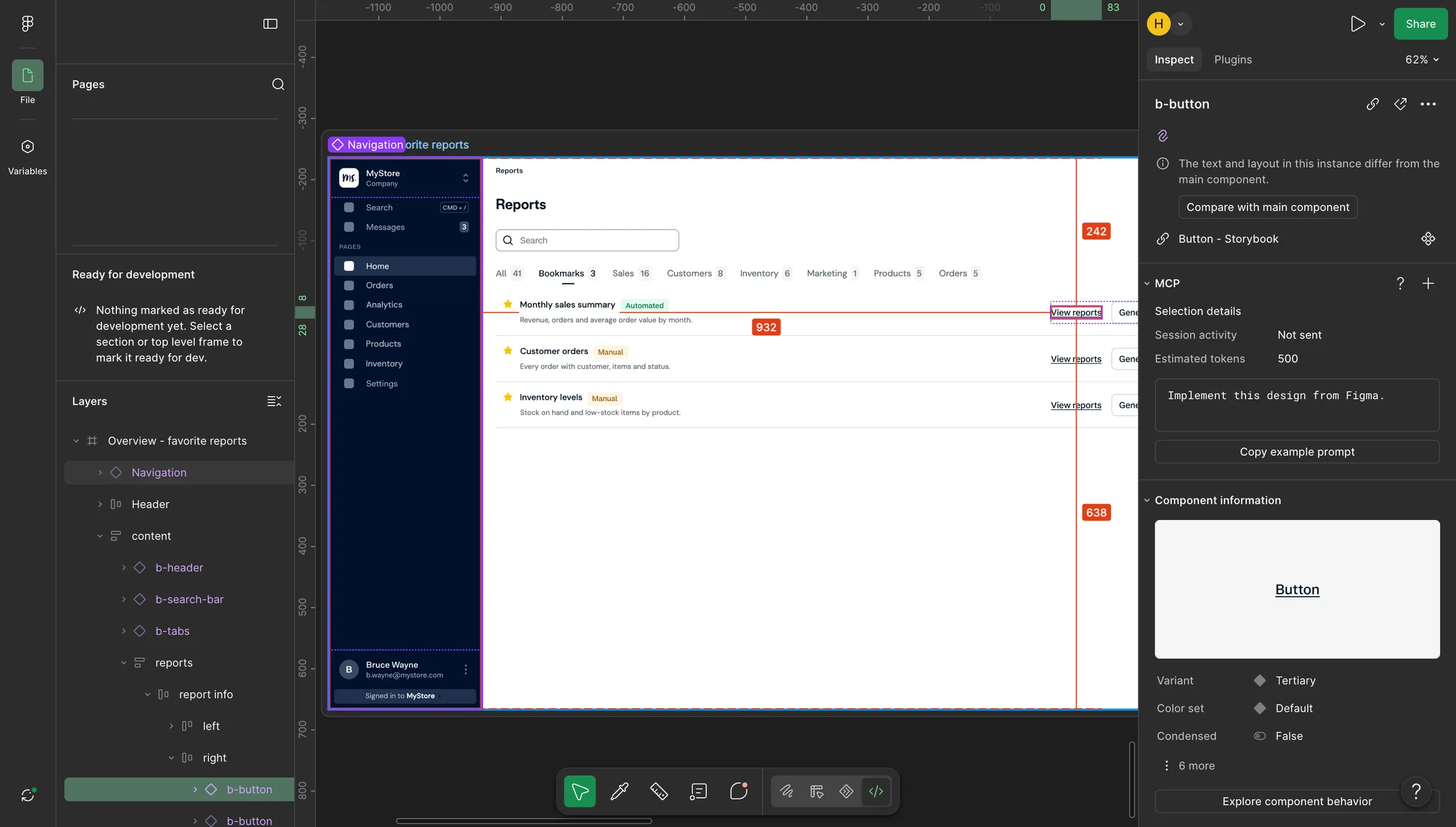
Figma's MCP server gives the AI the design, a component map pairs each Figma component with its coded version, and skills hold the rules our engineers follow.
Overview
At Adyen, I pioneered a workflow where designers build UI changes directly in production code, using AI connected to our design system, with engineers reviewing the result. About half of our designers now use it for small UI fixes.
Format
Article · ~5 min read
Role
Designed and piloted the workflow, wrote the team playbook
Timeframe
June 2026 to present
Context
At Adyen, designers hand finished designs to front-end engineers, who rebuild them in code. Small fixes rarely made a release; seven had sat in our backlog for two years.
Before: The old handoff
I proposed a different loop: designers build small UI changes with AI, and engineers review and merge them.
I set it up so each group spends its time where it's strongest. Designers own the last mile of UI quality: they build small fixes themselves, supported by a step-by-step playbook, naming rules in Figma and pilot sessions I led. Engineers stay the final gate: every change goes through their code review before production, and with repetitive styling work off their plate, they can focus on complex work.
Roadblock
Out of the box, the AI didn't know our codebase. It invented components and hard-coded values, so engineers would have rewritten its output rather than reviewed it.
<buttonclassName="btn-blue"style="background: #1a73e8; color: #ffffff; border-radius: 3px">View report</button>
The recipe
Generic AI code would have been rewritten. Grounding it in our codebase and design system is what made the output reviewable rather than redone.
The recipe
01
Figma's MCP server gives the AI the design, a component map pairs each Figma component with its coded version, and skills hold the rules our engineers follow.
From Figma to code
02
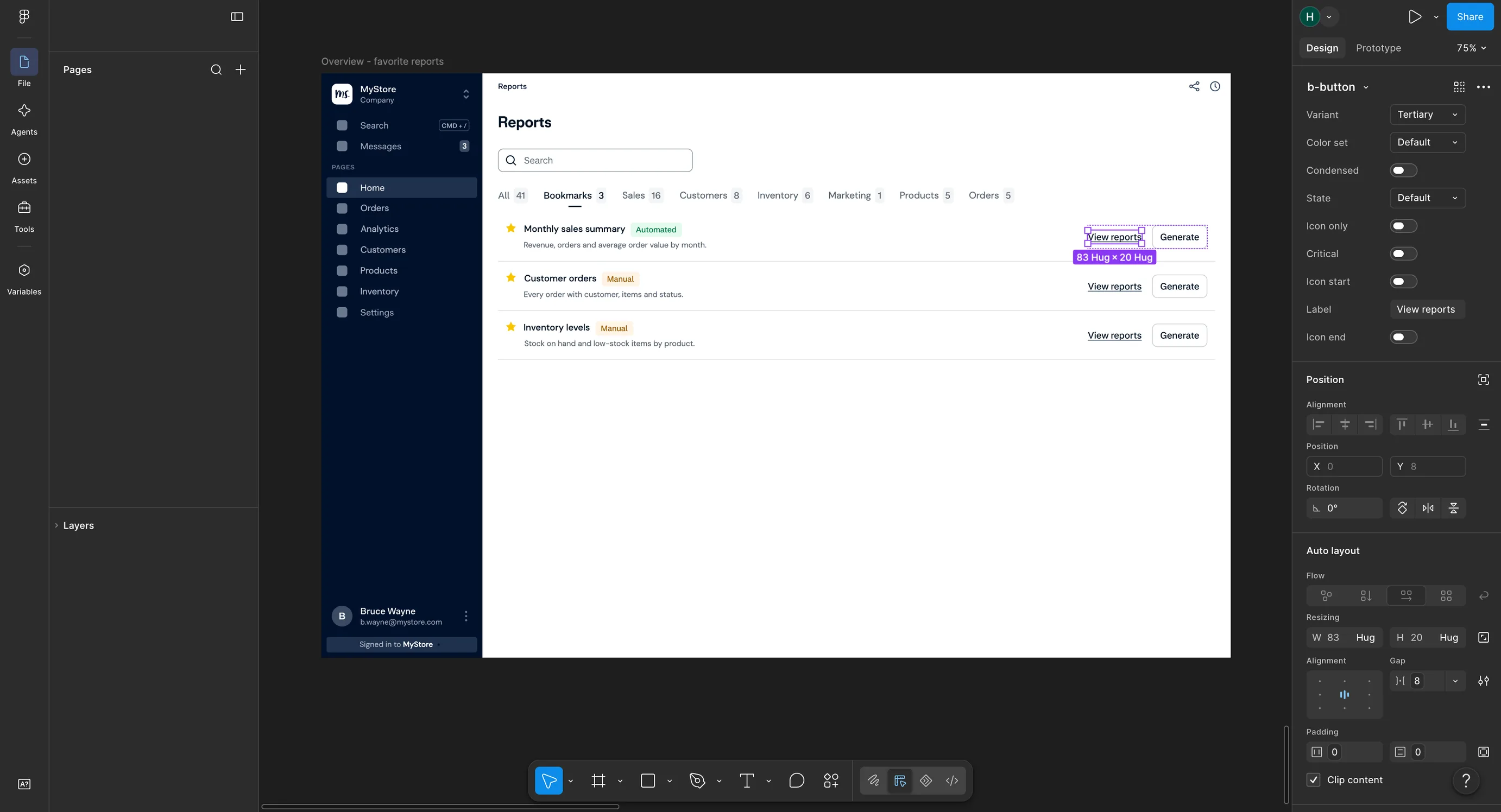
If a match is still unclear, the AI stops and asks the designer instead of guessing. The catch: designers have to keep components attached and named after what they do. A layer renamed "Rectangle 5" breaks the link.
Stop and ask
# Component map<!-- Read by the AI before it builds. One line per Figma component. -->## Lookup```textb-button → Button status: readyb-header → Header status: readyb-dashboard-template → ? status: needs-user-input```## Rules- Match on the Figma component name, not the layer name- `ready` lines are used as they are- `needs-user-input` means stop and ask the designer
Result
To test it, I picked those seven fixes. Engineering estimated two to three days of work.
Working with my front-end engineer, I built all seven in about two hours, including moving the Invoice Detail page onto our design system. He reviewed it and approved the merge request. He didn't write the code.
Time to ship seven fixes
Three kinds of fix
label='Save'label='Save contact'
<Button>Cancel</Button><Button variant='primary'>Submit</Button>
<ButtonclassName='btn btn-default btn-legacy'variant='primary'>Submit</Button>
vs. 2–3 days estimated by engineering
Adoption